Electronic signature from your phone
Sign documents with your own signature, and let anyone check it.
Upload a photo of your signature once, choose the document and confirm with a code sent to your email. Every signature gets a cryptographic fingerprint, a QR code and a public verification code.
Notify me when it’s availableBy writing to us, you authorize us to use your email only to let you know when TrazoFirma is available. You can ask us at any time to delete it. Privacy policy
The app is in closed testing. In the meantime, you can ask to be notified by email.
How it works
Three steps, from your phone.
No need to print or scan the document. No password needed to sign in: just your email and a 6-digit code.
-
01
Upload your signature
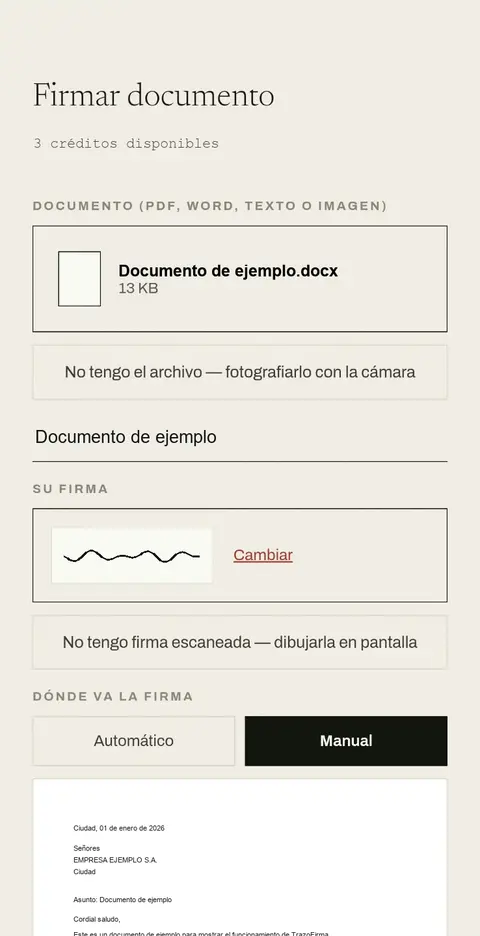
Once only, from a photo of your signature on paper, or drawn on screen. The app saves it for next time.
-
02
Choose the document
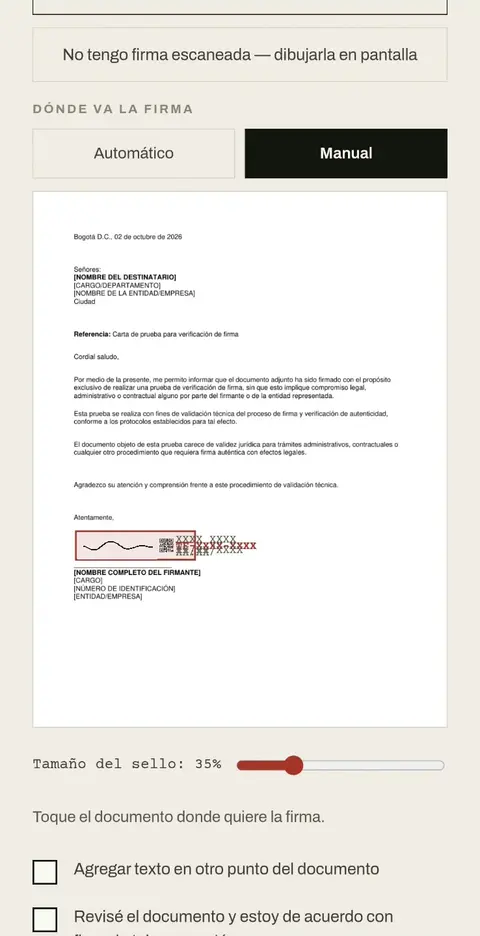
PDF, Word, text or image. Tap where the signature goes, or let the app place it for you.
-
03
Sign and verify
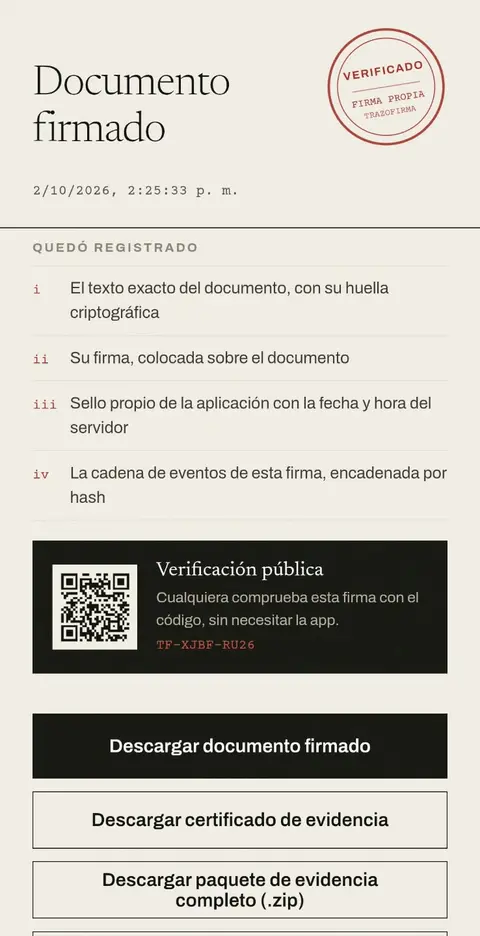
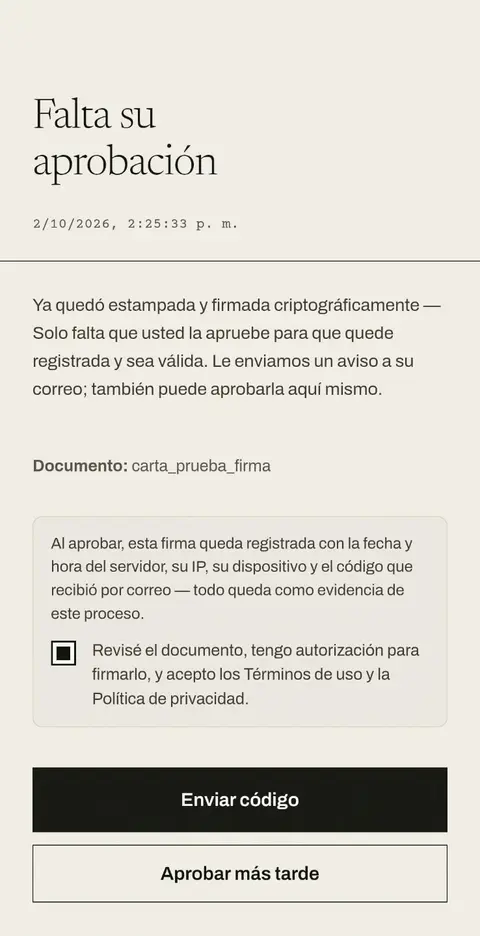
Confirm with the code sent to your email. You will get the signed document, always as a PDF, with a verification code and a QR code that anyone can check without the app.
What gets recorded
Every signature leaves evidence, not just an image.
A photo of a signature pasted into a PDF is very little evidence on its own. With TrazoFirma, every signature comes with data that lets anyone check what was signed, when, and whether the file changed afterwards.
- i
SHA-256 fingerprint of the document
If someone changes the file after it was signed, verification detects it.
- ii
Visual signature and digital signature in the PDF
Your signature appears on the page, and the file carries an embedded digital signature (PKCS#7).
- iii
Date and time stamp
Issued by the app, using its server time at the moment of approval.
- iv
Chain of events
Who, when and what: each step is linked to the previous one by a hash.
- v
Data from the moment of approval
The server date and time, your IP address, your device and the validation of the code sent to your email.
- vi
Access and terms record
Who viewed, verified or downloaded the signature, and your acceptance of the terms when signing.
- vii
QR and verification code
A code like TF-XXXX-XXXX that anyone can look up.
- viii
Evidence package (.zip)
The signature’s evidence gathered in one file, with an independent verifier. Plus a signing history in your account.
Public verification
Did you receive a document signed with TrazoFirma?
Type the code printed next to the signature, beside the QR code, or scan the QR code with your phone’s camera. You don’t need the app or an account.
The verification page shows whether the signature is valid, the document’s title, the name and ID the signer declared (the ID partly hidden) and a list of checks: the app’s stamp, that the signature was not altered and that the chain of events is complete. The identity is the one the signer declared; TrazoFirma does not verify it.
Verify a document
It appears next to the signature, beside the QR code.
Pricing
Start for free. Pay only if you sign more.
Payments are made in the app through Google Play. Subscriptions renew monthly and can be cancelled from Google Play at any time. Cancelling does not refund the period already paid, but access continues until it ends.
Free
For every account
3
signatures every month
Packs
One-time payment · never expire
| 10 signatures | USD 4.99 |
|---|---|
| 30 signatures | USD 12.99 |
Monthly plans
Renew every month
| Basic · 15 signatures | USD 4.99 |
|---|---|
| Standard · 30 signatures | USD 8.99 |
| Pro · 60 signatures | USD 14.99 |
Reference prices in US dollars. Google Play shows the final price in your local currency, which may vary.
Frequently asked questions
Before you start.
If your question isn’t here, write to us at the contact email.
Which files can I sign?
PDF, Word, text or image (PDF, Word, TXT, RTF, JPG or PNG). Whatever the format, the result is always a signed PDF.
Does the person receiving the document need the app or an account?
No. A browser and the code (or QR code) printed next to the signature are enough.
What if someone changes the file after it is signed?
Every signature stores the document’s SHA-256 fingerprint. If someone changes the file after it was signed, verification detects it.
Can I use it for any procedure?
It depends on who receives the document and what the procedure requires. TrazoFirma produces a simple electronic signature with technical evidence; it does not replace a certified digital signature when the law, an institution or the recipient requires one. If you are not sure, check with whoever will receive the document first.
Does it work on iPhone?
For now TrazoFirma is Android only, and it is not on Google Play yet (it is in closed testing). Anyone can still verify a signed document from the browser of any phone or computer.
How do I cancel a subscription?
From Google Play, at any time. Cancelling does not refund the period already paid, but access continues until it ends.
What happens to my data if I delete my account?
Your email, name, ID number and saved signature image are permanently deleted from your profile. Documents you already signed and completed are kept with no fixed term, as they were left (with your name, your ID number, the hash, the seal and the IP and device records): they are the proof of something other people already received, and deleting them would break the cryptographic chain that shows they were not altered. The details are in section 5 of the privacy policy (English summary; the Spanish text governs).
Scope and limits
What TrazoFirma is, and what it isn’t.
We’d rather say it clearly from the start, so you can decide when it fits your needs.
TrazoFirma produces a simple electronic signature under Colombia’s Law 527 of 1999 and Decree 2364 of 2012, together with technical evidence that allows it to be verified.
- The signer’s identity is self-declared; the app does not check it against ID documents.
- The date and time stamp is issued by the app itself, not by an accredited certification authority.
- It does not replace a certified digital signature when the law, an institution or the recipient requires one.
If you are not sure which kind of signature a process requires, check with whoever will receive the document before signing.
Privacy and data
What data we keep, and why.
This is a summary of our personal data policy. If there is any difference, the full text of the policy prevails.
- What we keep
- Your email; the name and ID number you declare (we don’t check them against any official source); your signature image, if you upload one; the documents you sign, with their title, date and fingerprint; your IP address and a technical summary of your device; access records for each signature, your acceptance of the terms and your purchase history.
- Why and with whom
- To run your account, generate each signature’s stamp, code and QR code, allow public verification (with the ID number partly hidden), prevent misuse and process purchases. The server and database are hosted by Render (United States), so your data is transferred to that country; Resend sends the email with your code and Google Play processes purchases.
- How long
- While your account exists. If you delete it, your email, name, ID number and saved signature image are erased from your profile, along with your sessions. Completed signed documents are kept with no fixed term, as they were left (with the name and ID number of the signer, the hash, the seal and the IP and device records), as proof for the people who received them. Purchase history is kept for up to 5 years.
- Your rights
- To know, update and correct your data; to withdraw your authorization and ask us to delete it (except completed documents); and to file complaints with Colombia’s Superintendence of Industry and Commerce. Write to the contact email or use the “Delete my account” link.
Contact
Write to us.
Questions, suggestions or support: